Email Follow-Ups for Consultants and Coaches: Keep Clients Moving Forward
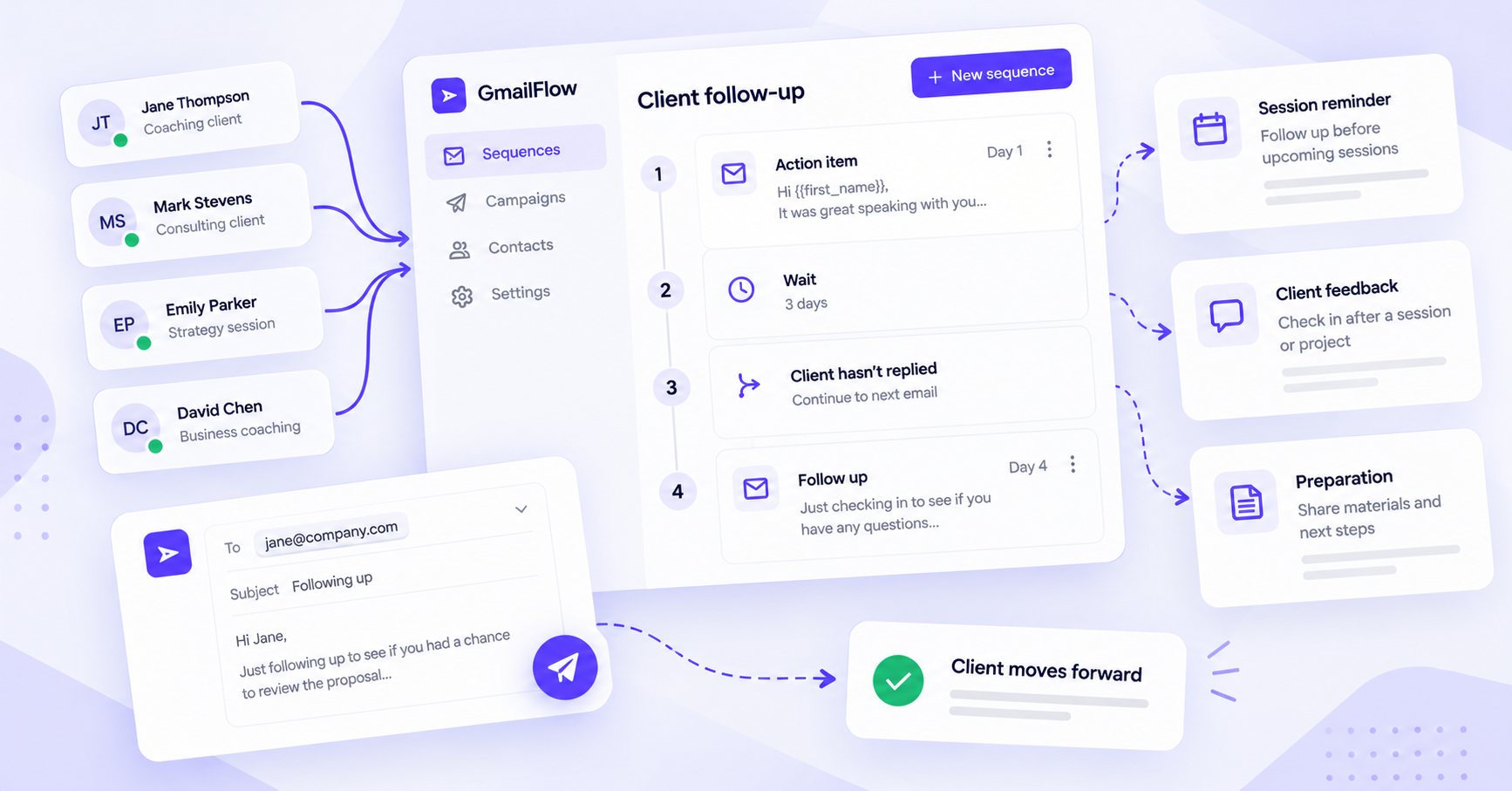
Consultants and coaches often work with clients over several weeks or months.
There may be a session to schedule, an action item to complete, a resource to review, or feedback to collect after a milestone.
As the number of clients grows, keeping track of every conversation and remembering what needs to happen next can become difficult.
ConvaMail helps consultants and coaches create email sequences for recurring client communication. Build a sequence once, set when each email should be sent and what happens based on client behavior, then reuse it with different clients.
Follow up on client action items
A common challenge for consultants and coaches is keeping clients moving between sessions.
After a meeting, you may give a client an assignment, ask them to review a document, or agree on a specific action they need to take before the next session.
ConvaMail can help automate the follow-up without requiring you to remember every outstanding task.
Example sequence
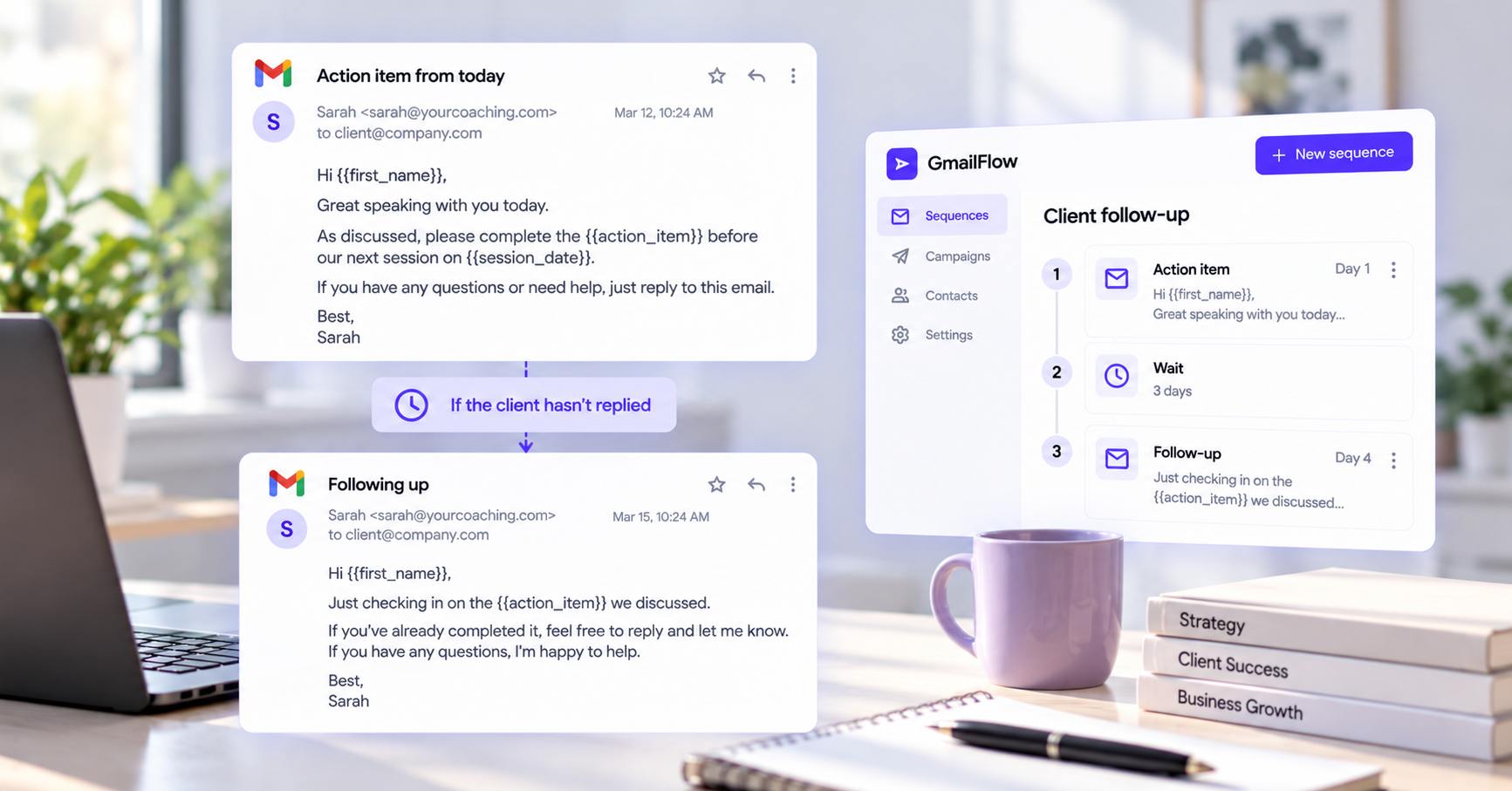
Email 1 — Action item
Hi {{first_name}},
Great speaking with you today.
As discussed, please complete the {{action_item}} before our next session on {{session_date}}.
If you have any questions or need help, just reply to this email.
Best,
Sarah
Condition — Client hasn't replied
After your chosen delay, ConvaMail can send a follow-up if the client hasn't replied.
Email 2 — Follow-up
Hi {{first_name}},
Just checking in on the {{action_item}} we discussed.
If you've already completed it, feel free to reply and let me know. If you have any questions, I'm happy to help.
Best,
Sarah
Once the client replies, the sequence can follow the rule you've configured for replies.
This gives consultants and coaches a simple way to follow up on recurring client action items without manually tracking every conversation.
Send session reminders and preparation
Sessions often work better when clients have everything they need beforehand.
You can create a sequence that sends a reminder before a scheduled session and asks the client to complete any preparation beforehand.
For example, a reminder could include:
The session date and time
A meeting link
Questions for the client to consider
A document or resource to review
Any information the client should prepare
Using fields such as {{first_name}}, {{session_date}}, and {{meeting_link}}, the same sequence can be reused for different clients while keeping each message relevant to their session.
Collect client feedback
Feedback can help consultants and coaches understand what is working for their clients and improve their services.
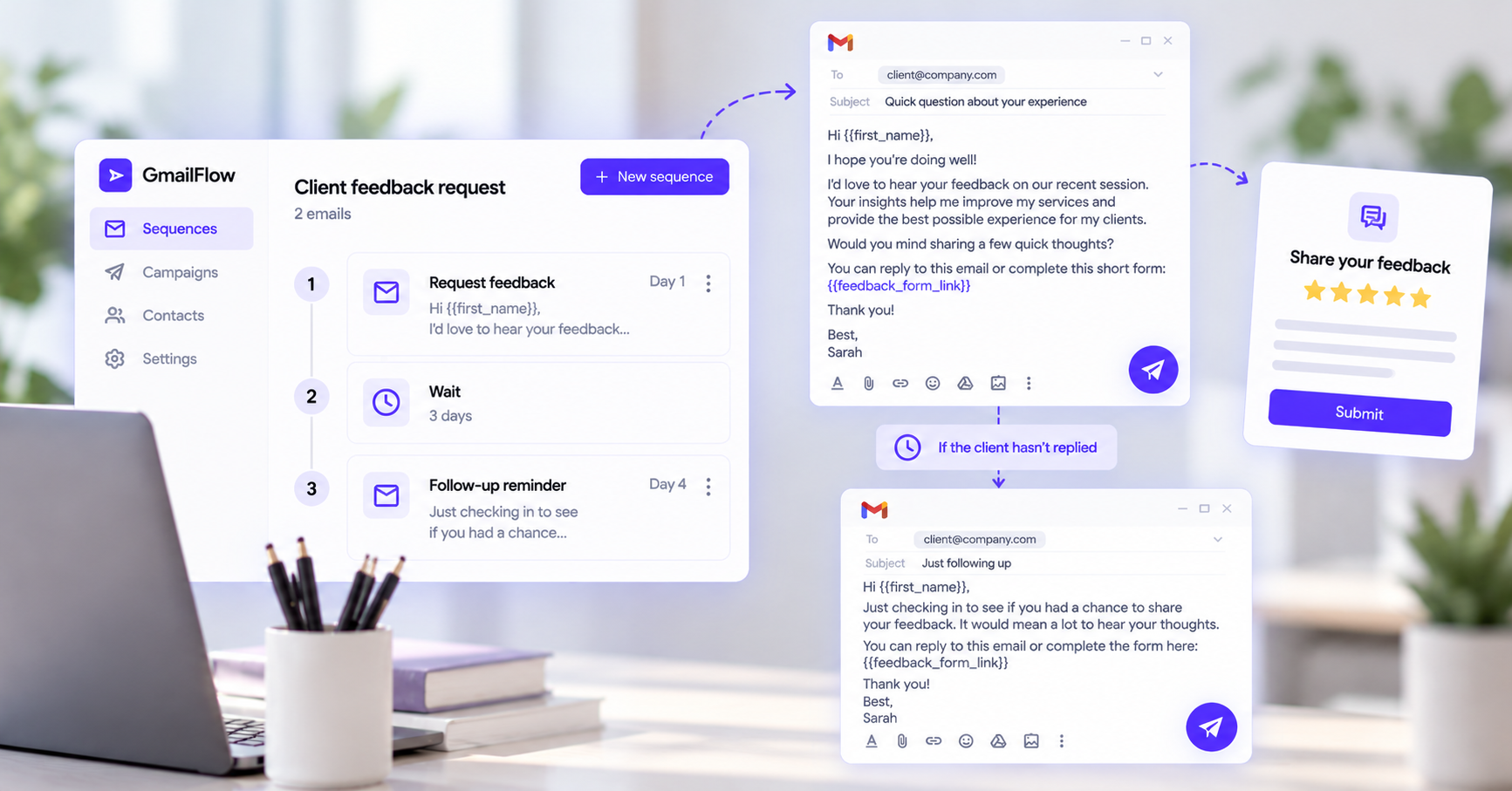
You can create a sequence to request feedback after a session, milestone, or completed engagement.
For example, you could send a short email asking the client to share their experience or complete a feedback form.
If the client hasn't replied, ConvaMail can send a reminder after your chosen delay. If they do reply, the sequence can follow the rule you've configured for replies.
This gives you a consistent way to collect feedback without having to remember which clients you have already contacted.
Create the sequence once and reuse it
Once you've created a workflow that works for your clients, you can reuse it instead of rebuilding it every time.
Create the sequence with its emails, delays, and conditions. Then create a campaign, choose the sequence, select the clients you want to include, and set the campaign's sending schedule.
You can use the same sequence with different clients while personalizing each email with information from your recipient list.
You define the workflow. ConvaMail handles the follow-ups according to the rules you've set and how each client responds.
Keep communication in Gmail
ConvaMail sends emails through your connected Gmail account, so you can continue using the inbox you already know.
Emails are sent from your Gmail address and appear in the Sent folder. Client replies arrive in your normal inbox.
Follow-ups can also stay in the same email thread, making it easier to keep the conversation together.
Spend less time tracking client follow-ups
The more clients you work with, the harder it becomes to remember every small follow-up.
A reminder before a session, a check-in about an action item, or a request for feedback can easily get lost among everything else on your calendar.
With reusable email sequences, you can automate these recurring parts of client communication while keeping your emails personalized.
Spend less time remembering what to send next and more time helping your clients move forward.