Email Follow-Ups for Teachers: Spend Less Time Chasing Student Responses
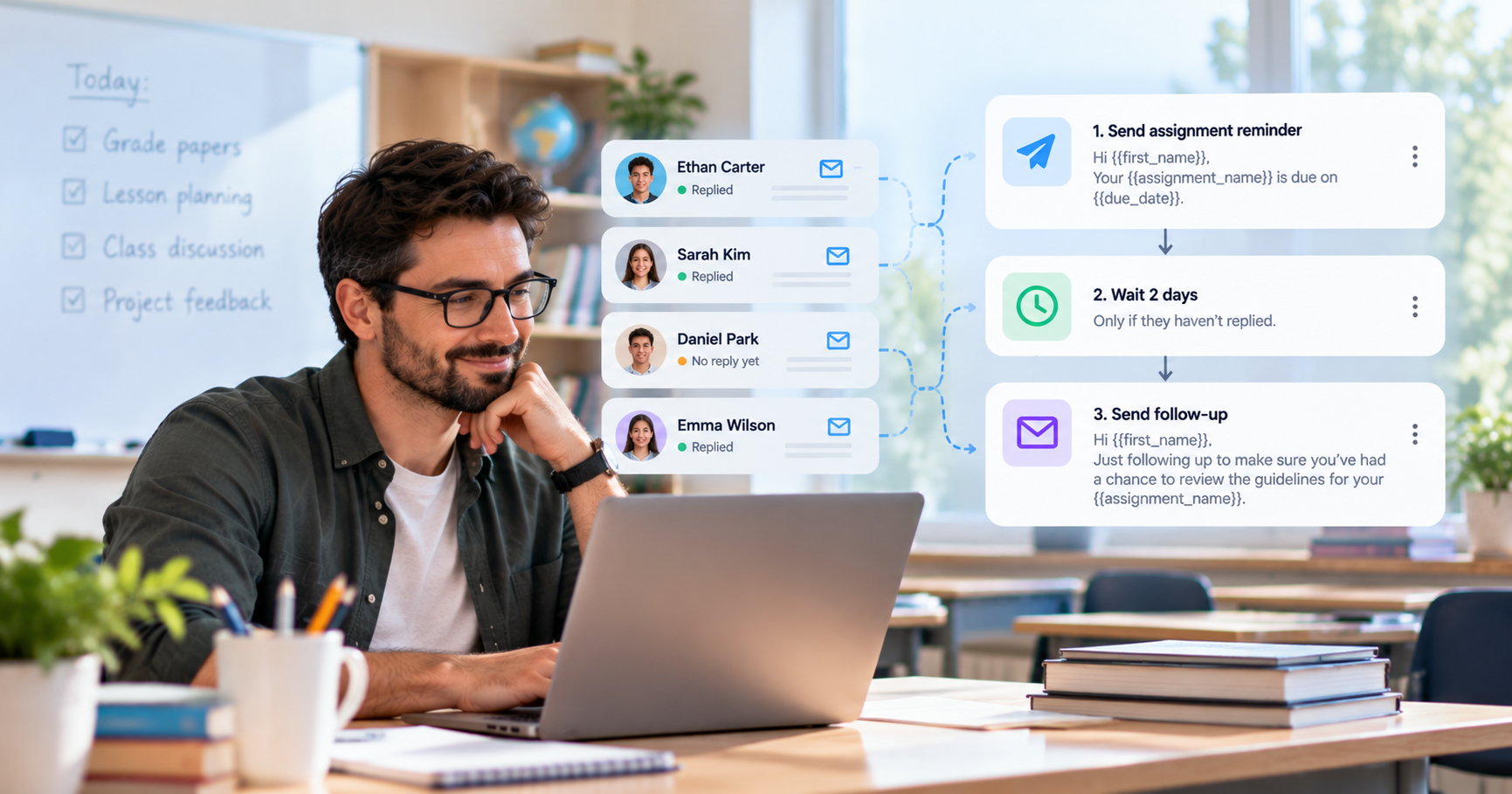
Teachers often send the same types of emails throughout the school year.
An assignment needs to be submitted. A student needs to provide missing information. A deadline is approaching. A parent or student hasn't responded to an important message.
Keeping track of all these conversations can take time, especially when you're communicating with many students.
ConvaMail helps teachers create reusable email sequences for recurring communication. Build a sequence once, set when each email should be sent and what happens based on the recipient's behavior, then reuse it whenever the same situation comes up.
Follow up on assignments
Assignments are a natural use case for email sequences.
A teacher can send an assignment with instructions and a due date, then configure a follow-up for students who haven't replied.
Example sequence
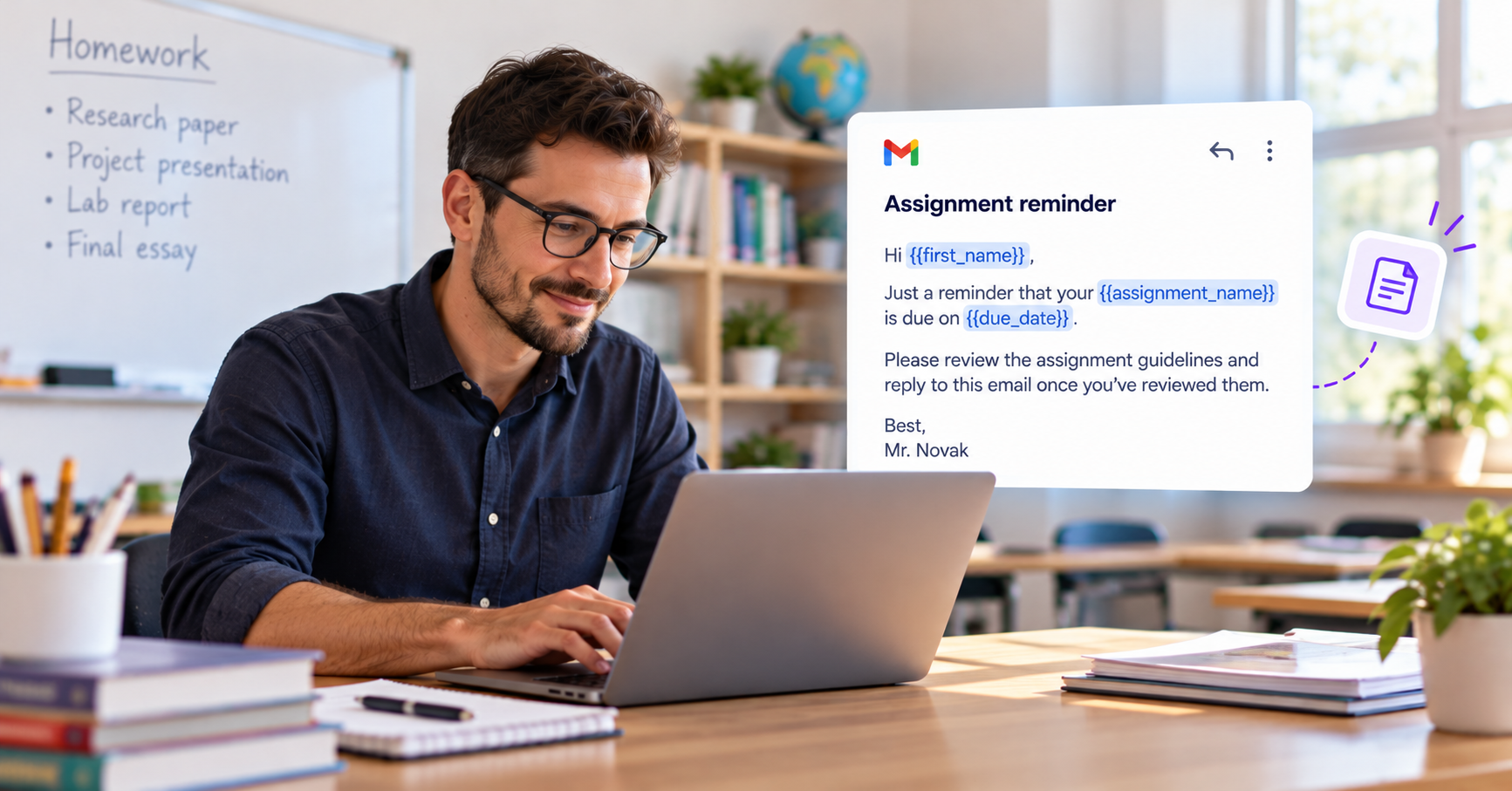
Email 1 — Assignment reminder
Hi {{first_name}},
Just a reminder that your {{assignment_name}} is due on {{due_date}}.
Please review the assignment guidelines and reply to this email once you've reviewed them.
Best,
Mr. Novak
Condition — Student hasn't replied
After your chosen delay, ConvaMail can send a follow-up if the student hasn't replied.
Email 2 — Follow-up
Hi {{first_name}},
Just following up to make sure you've had a chance to review the guidelines for your {{assignment_name}}.
Please reply to this email once you've reviewed them.
Best,
Mr. Novak
Once the student replies, the sequence can follow the rule you've configured for replies.
This gives teachers a simple way to handle recurring assignment communication without manually tracking every student who still needs a reminder.
Request missing information
Teachers sometimes need students to provide information before they can complete a task or move forward.
This could be a missing form, document, permission, project detail, or other information.
Instead of keeping track of who still needs to respond, you can create a sequence that sends a reminder if a student hasn't replied.
For example:
Send the initial request.
Wait for the configured amount of time.
Send a reminder if there is no reply.
Follow the configured rule when the student responds.
The same sequence can be reused whenever you need to collect similar information.
Send reminders about important dates
Teachers can also use email sequences for recurring reminders about important dates.
These might include:
Assignment deadlines
Exams
Project presentations
Registration deadlines
Required forms
Upcoming class activities
A sequence can send the initial reminder and then send another message after a chosen delay if the student hasn't replied.
Using fields such as {{first_name}}, {{assignment_name}}, {{due_date}}, and {{exam_date}}, teachers can personalize the messages for each student.
Create the sequence once and reuse it
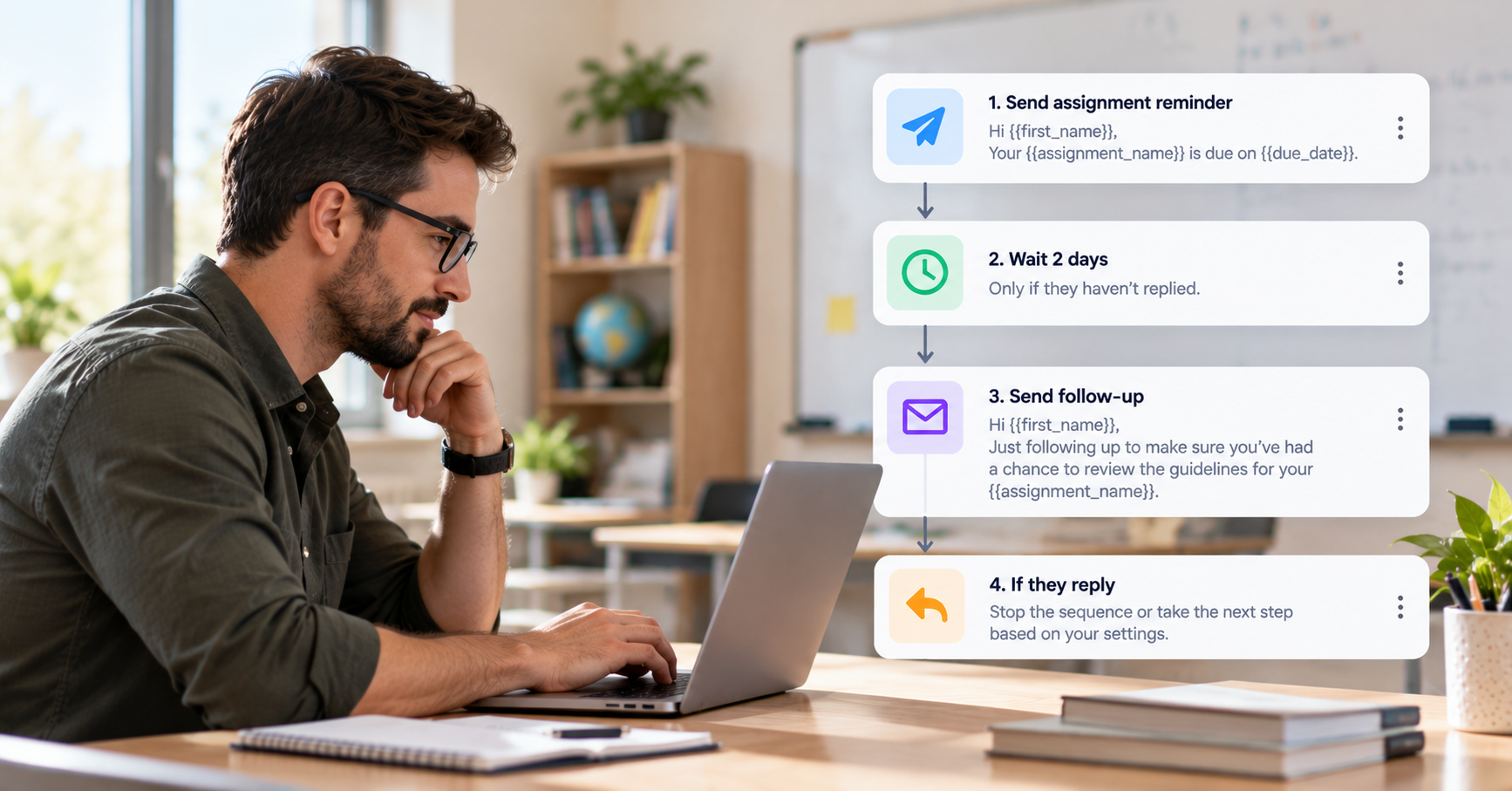
Once you've created a communication workflow that works for your class, you can reuse it instead of writing the same emails again.
Create the sequence with its emails, delays, and conditions. Then create a campaign, choose the sequence, select the students, and set the campaign's sending schedule.
You define the workflow. ConvaMail handles the follow-ups according to the rules you've set and how each student responds.
Keep communication in Gmail
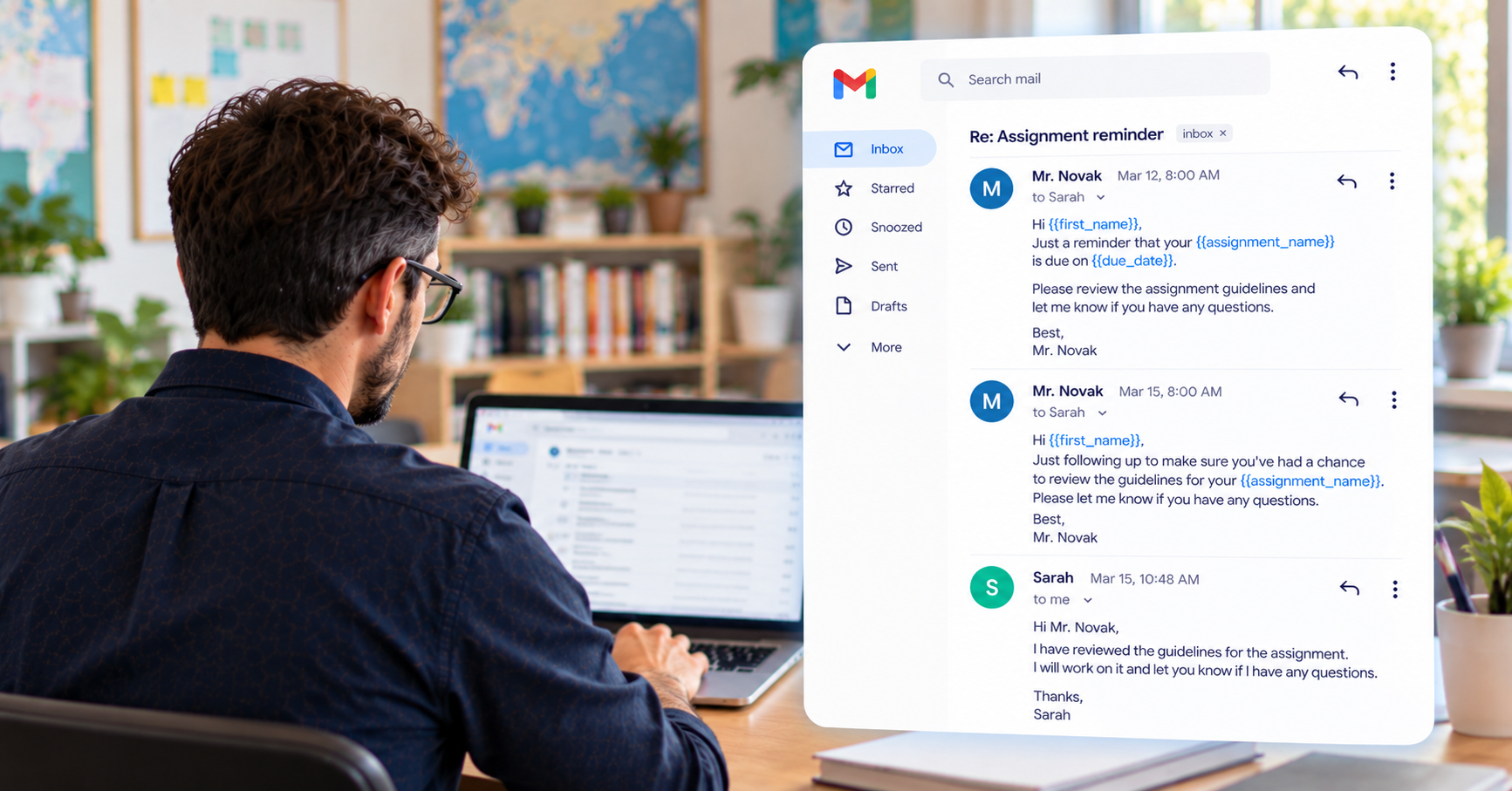
ConvaMail sends emails through your connected Gmail account, so you can continue using the inbox you already know.
Emails are sent from your Gmail address and appear in the Sent folder. Student replies arrive in your normal inbox.
Follow-ups can also stay in the same email thread, making it easier to keep the conversation together.
Spend less time sending reminders
Teachers already have plenty to manage outside of email.
When the same reminders and requests need to be sent repeatedly, email sequences can take care of the repetitive parts.
Create the workflow once, reuse it whenever you need it, and spend less time remembering who needs a reminder.
Spend less time chasing student responses and more time teaching.